AI detection engineering · Series: Making Sense of 1.6 Million Process Execution Events, part 1
Making Sense of 1.6 Million Process Execution Events, Part 1: Finding the Structure
A fully local pipeline that turns 1.6 million Windows process execution events into 140 groups an analyst can review, with every step measured, a plain account of the one thing it cannot do, and a free tool to run it on your own data.
On this page · 8 sections
Process execution events are where most endpoint investigations start, and where the volume is. Sysmon or an EDR agent records every new process, so browsers, updaters, services and scheduled tasks all add to the pile. In Understanding How LLMs Process Security Telemetry, one developer workstation’s events filled the largest frontier context window in about eight hours, and a model handed a 40,000-event export returned only a partial summary. I argued there that pointing a frontier model at everything is the wrong default, and that clustering, similarity search and small models are cheaper, faster and keep data in-house. This two-part series tests that argument.
This part reduces 1.6 million Windows process execution events from DARPA’s public OpTC dataset to 140 groups and 702 representative lines, small enough for an analyst to read in one sitting, using only a laptop. Three findings stand out. A small local model places similar command lines together about as well as one fifteen times its size. The reduction is what makes a frontier model affordable: reading every raw command line would cost about $150 a pass in input alone, while labeling the reduced set cost $1.51 in Part 2’s run, and the full telemetry never leaves the building. And part of the argument did not hold up. Where attacker and administrator work on the same machines, no model of any size cleanly separates their commands, so this approach organizes a corpus for review. It does not classify it.
The reduction works the way an analyst stacks a column and sorts by count, in four local steps: clean up the command lines (normalize), turn them into numbers a computer can compare (embed), group the similar ones (cluster) and pull a few representative lines from each group (sample). Part 2, coming next, asks local and frontier models to name each group’s intent and measures whether the frontier’s extra capability is worth its price. cmdstack, a free tool released with this post, runs all four steps on an export from your own EDR or SIEM, and Data and Code has the link.
Attacks and Normal Activity on the Same Machines #
OpTC is endpoint telemetry DARPA recorded from a simulated enterprise network attacked by a scripted red team. The attack and the normal activity ran on the same machines and were logged the same way, so the only real difference between them is behavior. When benign and malicious samples come from different sources, a model can learn the source instead. I pulled the process-creation events for 352 host-days from 121 machines between September 16 and 25, 2019: the machines the red team touched, which it did on the last three days, plus a random sample of others each day as a control. That comes to 1,609,175 events, of which 746 carry the red team’s label. That ratio, under one in two thousand, is realistic.
Step 1: 1.6 Million Events Become 2,506 Patterns #
Most of the 1.6 million events are repeats. Removing exact duplicates leaves 39,499 distinct command lines, 649 of them malicious, and most of those still differ only in ways an analyst would ignore: the same Firefox launch appears ten thousand times, each with a different temporary profile name. Left in, those differences teach everything downstream to memorize user names and random folders instead of behavior.
Normalization is find-and-replace with judgment. The program, its switches, the folders it touches and the shell operators stay. The user name, the exact IP address, the port and random names go:
\??\C:\Windows\system32\conhost.exe 0xffffffff -ForceV1
c:\windows\system32\conhost.exe <HEX> -forcev1
Each line gets two versions. The embedding model in Step 2 gets this conservative one, which keeps details that carry meaning, such as system32 versus syswow64. Counting gets a template, made by a second pass that also replaces every remaining number, document name and temp-folder name. Lines with the same template count as one behavior, so the ten thousand Firefox launches become one pattern.
| process execution events | distinct lines | after normalizing | after templating | |
|---|---|---|---|---|
| all command lines | 1,609,175 | 39,499 | 27,967 | 2,506 |
That is roughly one pattern for every 640 events. The data forced a few of the rules:
- Identity. User names become
<USER>, butPublic,DefaultandAll Usersstay, becauseC:\Users\Publicis a common malware staging folder. - Paths. Windows ignores case, and the data proves it: twelve executables appear in more than one casing. Everything except base64, which is case-sensitive, is lowercased, and the
\\?\and\??\prefixes and variables like%TEMP%map to one form. - Network values. Addresses keep their kind, not their value:
<LOOPBACK_IP>,<PRIVATE_IP>,<PUBLIC_IP>, or<INTERNAL_IP>for ranges a data source declares as its own. - Obfuscation stays as evidence. Carets, odd whitespace and Unicode look-alikes are counted, and base64 that decodes to readable text is decoded into its own column. On OpTC that recovered four PowerShell stagers and a clipboard script from malicious lines, and four legitimate administration scripts from benign ones.
Normalization also exposed three shortcuts in the dataset. The \\?\ and \??\ prefixes appeared on 10,370 benign lines and one malicious one, purely because of how the simulated users launched their browser. And OpTC uses publicly routable addresses internally, so its internal ping sweep read as <PUBLIC_IP> and looked like a near-perfect sign of attack until I declared its internal range. And double spaces, an artifact of how the simulation’s scripts were written, showed up on 7,246 benign lines and 23 malicious ones. Any of them would have produced an impressive result that vanished on real telemetry.
I wrote these rules by hand for this corpus, so treat them as a starting point. Established log-template parsers such as Drain would likely generalize better, and I did not measure how much different rules would change the groups.
Step 2: A Small Model Maps as Well as a Large One #
An embedding model turns each line into a list of numbers, called a vector or embedding. Think of it as drawing a map: every command line becomes a dot, and lines that do similar things land close together. “Find commands like this one” then means “find the nearest dots.”
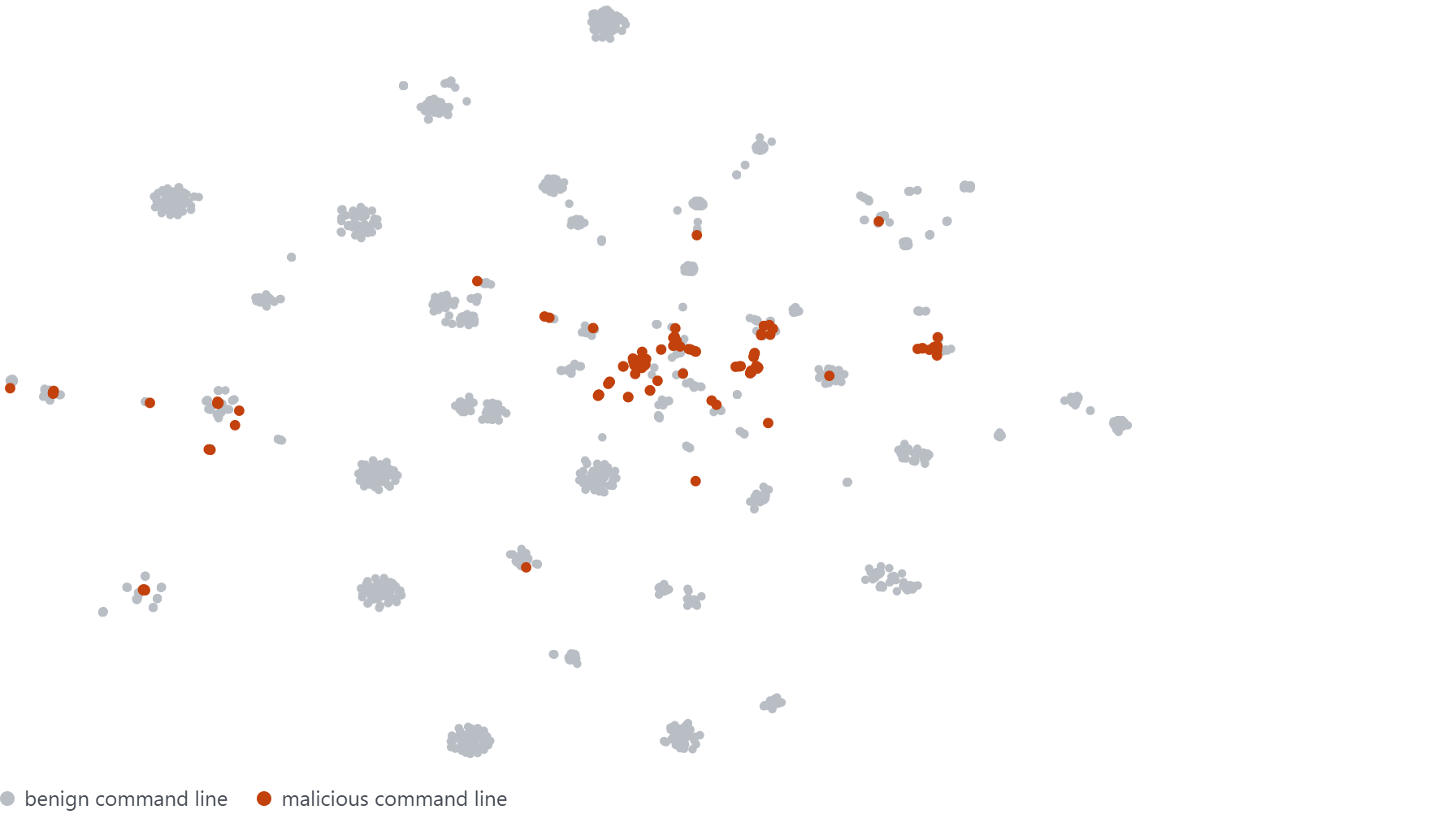
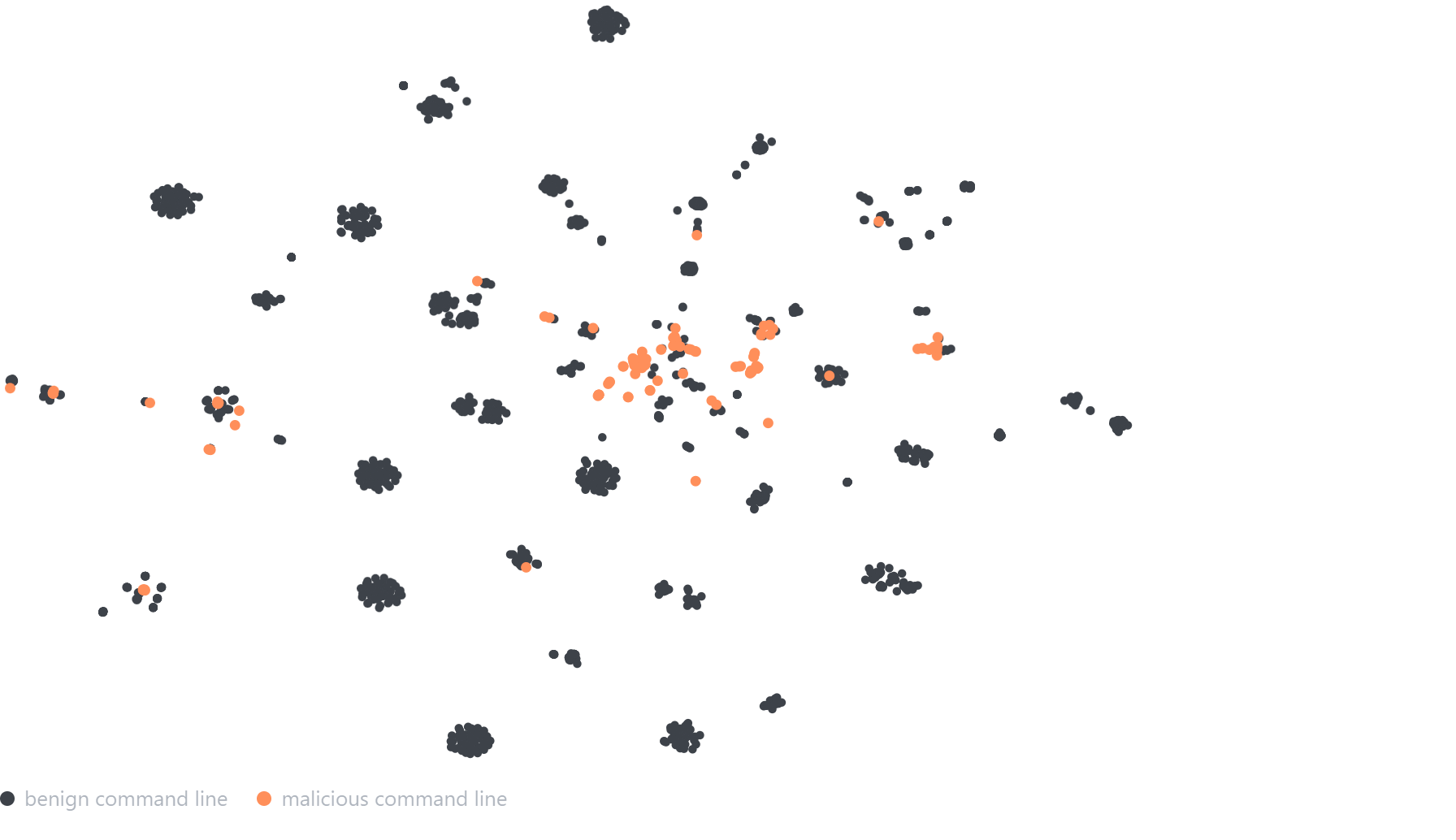
Which model draws the best map. Models differ in size, counted in parameters, the internal values a model learns in training, and bigger models need more memory and time. I tested five, from MiniLM (22 million parameters, runs on any laptop) to Qwen3 (595 million), plus TF-IDF, a baseline with no neural network that compares lines by the chunks of characters they share, like a fuzzy text search.
How I graded them. A good map puts lines that do the same thing next to each other, and Step 1’s templates define “the same thing.” For every line I take its five nearest neighbors and count how many share its template. An Adobe Reader line opening a PDF scores 4 out of 5: four neighbors are Reader opening other documents, and the fifth opens the same document through cmd.exe, which a person would call the same behavior but the templates do not. Averaged over every line, this is the like with like score. Lines whose template appears only once are left out, since no neighbor could match them. A score of 0.93 means about 93% of a line’s closest neighbors do the same thing it does.
The second score asks the security question: of a malicious line’s five nearest neighbors, how many are also malicious? This is malicious near malicious, averaged over the 136 normalized lines the malicious lines collapse to. Benign lines are left out because they are 99.5% of the data and would push every model’s score toward 1. By chance, about one neighbor in two hundred would be malicious.
Both scores run from 0 to 1, and higher is better. Every line is scored, so the numbers do not change between runs, but gaps of a few hundredths are still too small to call one model better than another.
| model | size (parameters) | like with like | malicious near malicious | time on an ordinary processor |
|---|---|---|---|---|
| TF-IDF (character counting) | no neural network | 0.723 | 0.669 | 3s |
| MiniLM | 22M | 0.928 | 0.682 | ~1 min |
| mpnet | 110M | 0.936 | 0.678 | ~15 min |
| nomic (clustering-tuned) | 137M | 0.969 | 0.685 | ~30 min* |
| bge-large | 335M | 0.948 | 0.647 | ~25 min |
| Qwen3-Embedding | 595M | 0.924 | 0.662 | ~11 hours* |
* nomic and Qwen3 ran at the same time on a shared processor, so both times overstate what each would take alone.
- Characters are not enough. TF-IDF scores 0.723 on like with like, against 0.928 for the smallest neural model.
- Size barely helps. bge-large, fifteen times MiniLM’s size, gains two hundredths. Qwen3, the largest, took eleven hours and did no better than MiniLM.
- Training matters at least as much as size. nomic, a mid-sized model trained specifically to cluster text, scored highest, at 0.969, though not by enough to call it clearly better.
Malicious near malicious barely moves: 0.65 to 0.69 for every model, TF-IDF included. Three or four of an attacker command’s five neighbors are other attacker commands, so the map does carry a signal, but no model makes it cleaner. The limitation section shows why.
I used MiniLM for the rest of the pipeline: it is the fastest, close to the best, and runs on any machine.
Step 3: 140 Groups, Most Malicious Lines Grouped Together #
Clustering turns the dense clumps on the map into groups. It sees only where the dots sit, never the benign or malicious labels. I used HDBSCAN, which differs from the textbook clustering methods in two ways that suit telemetry. It does not need to be told how many groups to find, which matters because nobody knows in advance how many behaviors a pile of telemetry holds. And it does not force every line into a group: it makes a group from each tightly packed region of at least five lines and sets the rest aside as noise, the clustering term for outliers that fit no group.
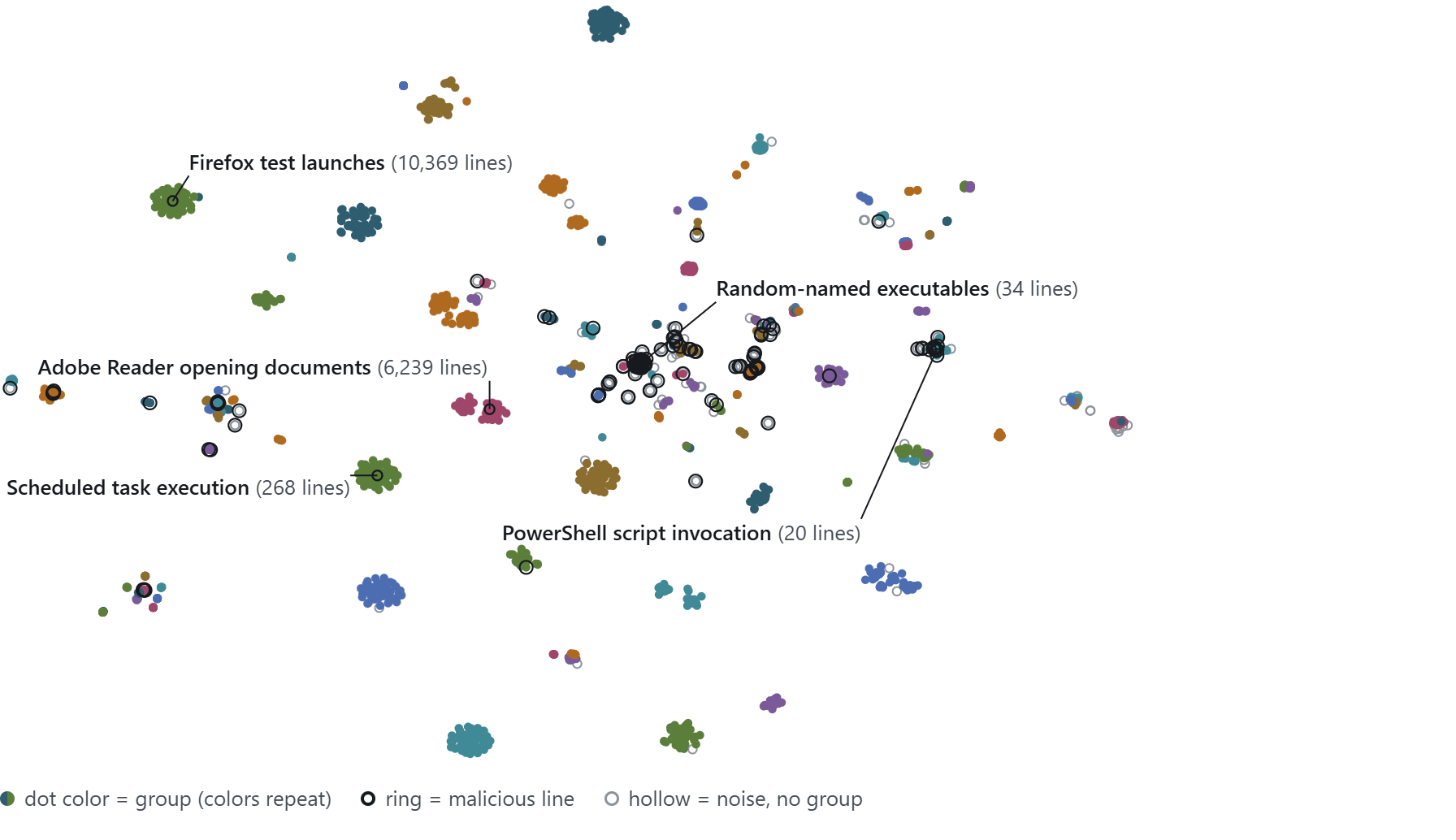
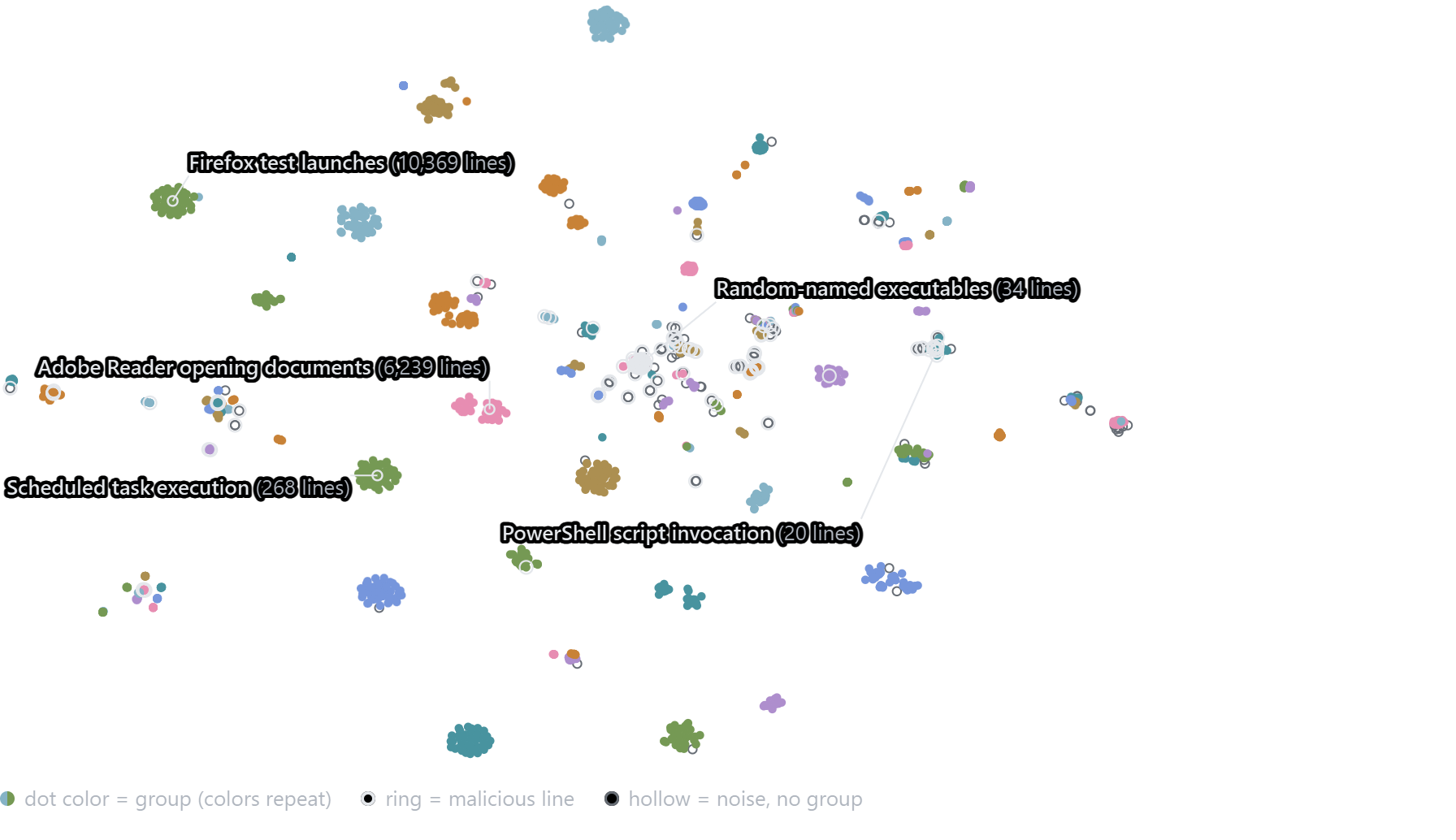
HDBSCAN sorted the 39,499 distinct lines into 140 groups and set aside 305 of them (0.8%) as noise. The largest group is the Firefox launch from Step 1.
The noise is small in lines but large in volume: its 305 lines account for 68% of all events. Most of that comes from four commands that ran tens or hundreds of thousands of times with nothing similar nearby: the conhost.exe line from Step 1 (406,799 events), a batch file run through cmd.exe /c (358,274), a ping of the loopback address (160,522) and an svchost.exe -k wsappx service host (31,107). Clustering counts each distinct line once, however often it ran, so a command seen 400,000 times can still be an outlier. Sorting the noise by event count puts those four at the top.
Where the malicious lines land. Because the clustering never saw the labels, this is an independent check. Of the 649 malicious lines, 39 fell into the noise. Of the other 610, 587 (96%) landed in groups that are mostly or entirely malicious, and only 23 (4%) landed in mostly benign groups. At the group level, 125 of the 140 groups (89%) hold only benign or only malicious lines, though that flatters a little: because malicious lines are so rare, random groups of the same sizes would manage 71%. The other 15 groups are mixed.
These numbers do not contradict Step 2, where about a third of a malicious line’s neighbors were benign. Step 2 scored each normalized line once, so the red team’s internal ping sweep, 509 distinct lines that normalize to the same text, counted as a single line there. Here every distinct line counts, and the sweep alone accounts for 509 of those 587. Set the sweep aside and most of the other 101 malicious lines still group together: 77% land in mostly or entirely malicious groups, and the same 23 lines as above (23%) land in mostly benign ones. The 15 mixed groups are where attacker and administrator look alike.
How the alternatives compare. I ran the same lines through three other methods. Two are the textbook methods, k-means and agglomerative clustering, each told to find 140 groups. The third is the recipe behind the popular BERTopic tool: UMAP first squeezes each line’s 384 numbers down to five, a step called dimensionality reduction, and HDBSCAN then groups the result. I scored all four against the Step 1 templates. The templates are my own rules, so these scores measure agreement with them, not with an independent answer key. Lines set aside as noise are left out of the scores, which is why the table lists noise separately. All three scores run from 0 to 1, and higher is better:
- Purity (homogeneity) asks whether a group’s lines are all one behavior. Low purity is the clustering version of false positives.
- Keeps behaviors together (completeness) asks whether each behavior sits in one group. A low score means one activity scattered across many groups, the clustering version of missed detections.
- Overall match (adjusted Rand index) scores how well the groups line up with the behaviors, corrected for chance: 0 is random, 1 is exact.
Purity and keeping behaviors together pull against each other, and a useless grouping can max out either one: cutting everything into tiny groups makes every group pure, and lumping everything into one group keeps every behavior whole. So overall match is the column to judge by.
| method | groups | set aside as noise | purity | keeps behaviors together | overall match |
|---|---|---|---|---|---|
| HDBSCAN (direct) | 140 | 0.8% | 0.797 | 0.986 | 0.889 |
| agglomerative | 140 | 0% | 0.837 | 0.713 | 0.669 |
| k-means | 140 | 0% | 0.871 | 0.693 | 0.590 |
| UMAP then HDBSCAN | 2,171 | 26% | 0.858 | 0.370 | 0.041 |
The Firefox launches show why HDBSCAN scores highest on overall match. It keeps all 10,363 lines of the Firefox template in one group, while k-means splits them across 9 groups and agglomerative clustering across 7, and both split other large behaviors the same way. HDBSCAN’s lower purity has a related cause: it lets one group hold several templates that differ only slightly, while the other methods gain purity by cutting such groups into pieces.
UMAP made the grouping far worse. With the same HDBSCAN settings, it broke the Firefox launches into hundreds of groups (466 in this run), set aside a quarter of all lines as noise and scored 0.041 on overall match, barely above random. UMAP’s output also varies between runs even with a fixed seed: nine runs on the same lines gave 2,171 to 2,330 groups, 26 to 28% noise and an overall match of about 0.04 every time. BERTopic users normally tune the minimum group size for UMAP’s output and I did not, so a tuned run would likely do better. Direct HDBSCAN needed no tuning at all, so the pipeline does not use UMAP.
Step 4: 702 Lines Stand In for 1.6 Million Events #
From each group I pick a few representative lines, and those lines are what a person or a model reads. A group can hold thousands of near-identical lines or a handful of quite different ones, so the picks need to show the group’s range as well as its typical line. I take four lines from each group with each of three methods:
- A random draw shows what the group’s lines usually look like.
- Farthest-first starts with the most typical line, then keeps adding the line most unlike the picks so far, so unusual variants appear.
- Maximal marginal relevance also starts with the most typical line, then weighs closeness to the group’s center against difference from the picks so far, leaning toward typical.
Merging duplicate picks and capping each group at eight lines leaves 702 lines across the 140 groups. Each method catches lines the others miss. Four picks from any one method cover 74 to 78% of a group’s behaviors on average, and the merged set covers 86%, partly because it holds more lines. The merged set also includes a malicious line in 11 of the 15 mixed groups, against 7 or 8 for any one method.
Sampling still has a blind spot. Eight lines cannot show everything in a large group, so a lone malicious line among many benign ones can be missed. That happened in 4 of the 15 mixed groups: each held a single malicious line among 13 to 37 benign ones, and no method picked it. Read those groups in full.
The Limitation: Malicious Lines Sit Among Benign Ones #
Pick any malicious command line, look at its five nearest neighbors on the map, and about a third of them are benign. That held for every model in Step 2: all scored between 0.65 and 0.69 on malicious near malicious.
This overlap has two causes. Part of it is real. When attacker and administrator work on the same machines, many attacker commands are exactly what an administrator would type. Each line below carries OpTC’s malicious label. The first three sit mostly among benign neighbors on MiniLM’s map, and the last shows the opposite.
| Malicious line, as labeled in OpTC | What it does | Its five nearest neighbors |
|---|---|---|
schtasks.exe /run /tn \microsoft\windows\diskcleanup\silentcleanup /i | Starts Windows’ built-in disk-cleanup task, the command a well-known UAC bypass runs | 5 benign schtasks commands |
netstat.exe -ano | Lists network connections | 4 benign, such as netstat -n |
ping.exe -n 1 -w 100 <INTERNAL_IP> | One probe of the red team’s internal ping sweep | 5 benign commands aimed at internal hosts, such as qwinsta /server |
net session | Lists who is connected to this machine | 2 benign and 3 malicious, such as net share |
The SilentCleanup line shows why a better model cannot fix this. The command is identical to legitimate Windows maintenance, and what makes it an attack is set up elsewhere, outside the command line. The net session row shows the other side. Some attacker discovery commands do sit together, which is why the score in Step 2 is about two-thirds and not zero.
The rest of the overlap comes from how OpTC labels its data. The label covers the whole attack process tree, so routine children of an attacker’s process, such as conhost.exe, are tagged malicious even though they are identical to benign ones. Nineteen of the 649 malicious lines also appear, word for word, on the benign side.
Telling attacker from administrator needs more than the command line: the parent process, the user and how rare a command is on that host. The 15 mixed groups mark where the two overlap, which is where to point a reviewer first.
The data sets limits of its own. It is from September 2019, and the red team used the tools of that era, such as PowerShell Empire. Nothing in the method depends on those tools, but the groups an attacker produces today would look different. I tested Windows command lines only. Linux needs different normalization rules, which cmdstack includes but I have not validated, and telemetry without command lines, such as cloud audit logs, is out of scope.
What This Gives a SOC, and What Comes Next #
Four cheap, local steps turned 1.6 million process execution events into 140 coherent groups and 305 outliers. Embedding the lines takes about a minute on an ordinary processor, and the whole pipeline re-runs in minutes. For a SOC, the unit of review changes. An analyst reads 140 groups, up to eight lines from each, and the outliers sorted by event count. Running the pipeline takes one analyst who is comfortable at a command line, an ordinary laptop and a few minutes to install, not a data science team.
The alternative is to skip the reduction and hand everything to a frontier model. Counted with OpenAI’s public tokenizer, the command lines of all 1.6 million events come to 37.4 million tokens, the word pieces a model reads and is billed by. GPT-5.6’s flagship, Sol, accepts at most 922,000 tokens per request, so no single request sees the whole pile, which is the partial-summary problem from the earlier post at a larger scale. The estimates below keep each request under 272,000 tokens, above which Sol’s input price doubles. Full events, which the earlier post measured at 418 to 1,077 tokens each on average, cost far more, and every new question during an incident pays again.
| What you send | Tokens | Requests | Cost per pass on GPT-5.6 Sol |
|---|---|---|---|
| Every command line, as logged | 37.4 million | about 138 | about $150, input only |
| Every full event | 0.7 to 1.7 billion | 2,500 to 6,400 | $2,700 to $6,900, input only |
| The reduced set: 140 groups, 702 lines | 0.19 million | 140, one per group | $1.51 including the prompts and the model’s answers, measured in the labeling run Part 2 describes |
The reduction cuts the tokens about 200-fold, and the whole reduced set would fit in a single request. The cost gap is smaller, about 100-fold, because the $1.51 also pays for the model’s answers. Prices are OpenAI’s published October 2026 rates, with Sol at a promotional $4 per million input tokens through at least November 21, 2026, and tokens are counted with the o200k_base tokenizer. Newer GPT-6 and GPT-6.1 Sol models list at half these prices, which halves every cost here and leaves the 200-fold reduction unchanged.
The groups still need a name and an intent you can read at a glance. Naming them is a narrow job for a language model, because it reads at most eight lines per group, and Part 2, Labeling the Groups, takes it from there.
Data and Code #
The companion notebook, reruns each step on a laptop processor in about 20 minutes and ships the data it needs. The dataset is DARPA OpTC, public domain; the labeled copy used here is the equalNull mirror on Hugging Face. To run the same steps on your own process events, use cmdstack, at github.com/henry-parks/cmdstack under the MIT license. The labeling scripts are covered in Part 2.
One quirk of the study run: the model’s numbers for identical text can differ in the seventh decimal place, depending on which batch a line was processed in, and HDBSCAN split the ping sweep’s 509 identical lines across three groups. Giving identical lines one shared point merges them, leaving 136 groups with the same placement of malicious lines; the 140-group run reported here reproduces exactly. cmdstack embeds each distinct text once, so it avoids the split, and its leaner normalization rules find 111 groups on OpTC, again with 96% of the grouped malicious lines in mostly malicious groups and 15 mixed groups.
Data & code
- Repository
- henry-parks/research-notebooks at
42951a9738c0 - Notebook
- clustering-command-lines-locally-v1.0
- Model
- sentence-transformers/all-MiniLM-L6-v2
- Hardware
- An ordinary laptop or desktop processor, no GPU